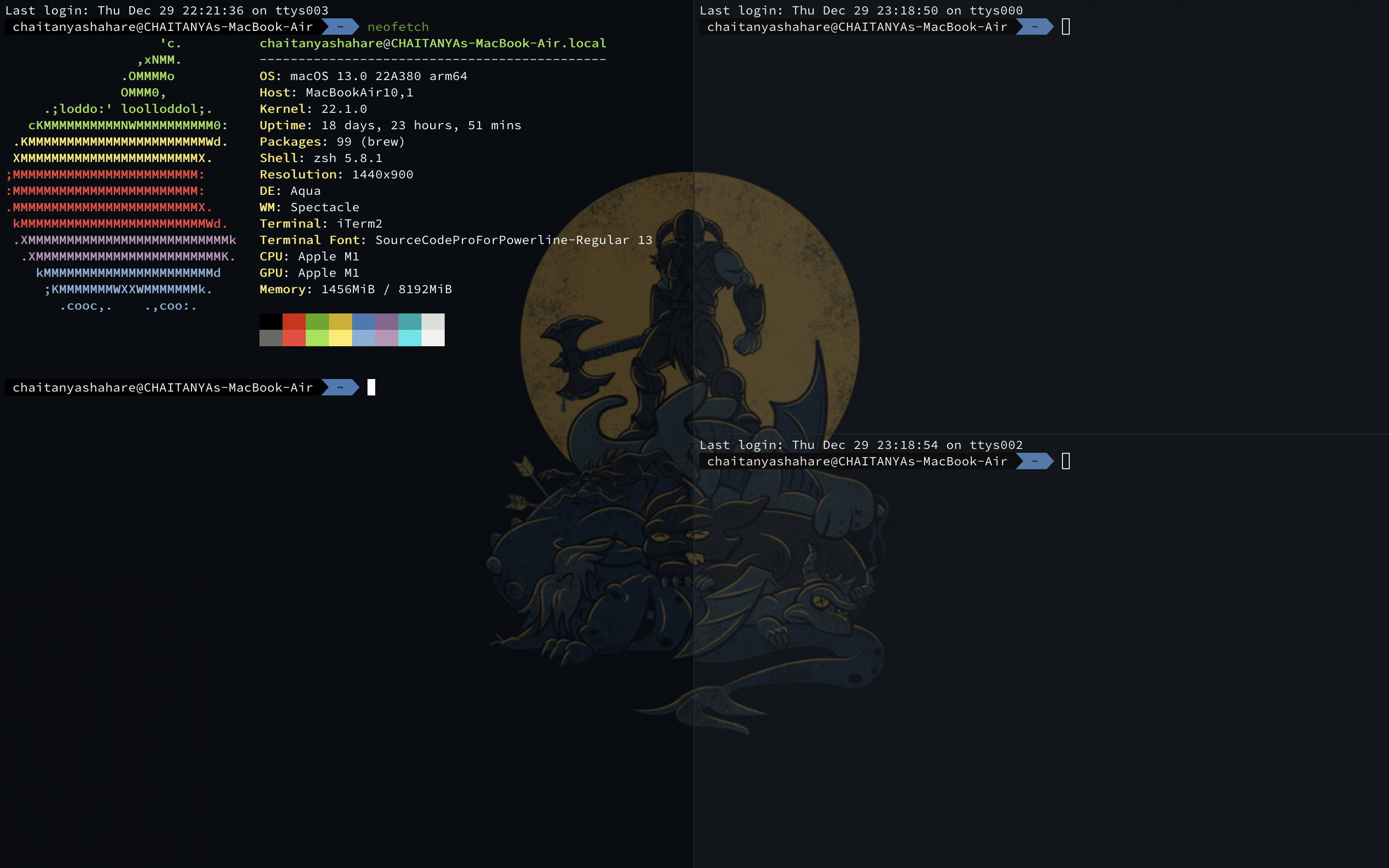
How to Make MacOS Terminal Beautiful With Background Image

I'm an engineering senior at National Institute of Technology, Srinagar, India. I'm a developer, fitness aficionado, productivity enthusiast and a fellow nerd.
Introduction
MacOS's default Terminal as of it is, is pretty boring and not very good to look at.
It's just some text on a solid background.
The easiest way to customise your terminal is to add a background.
Following are the steps for the same:
Install Iterm2
Iterm2 is a terminal emulator, does everything the default Terminal does and more.
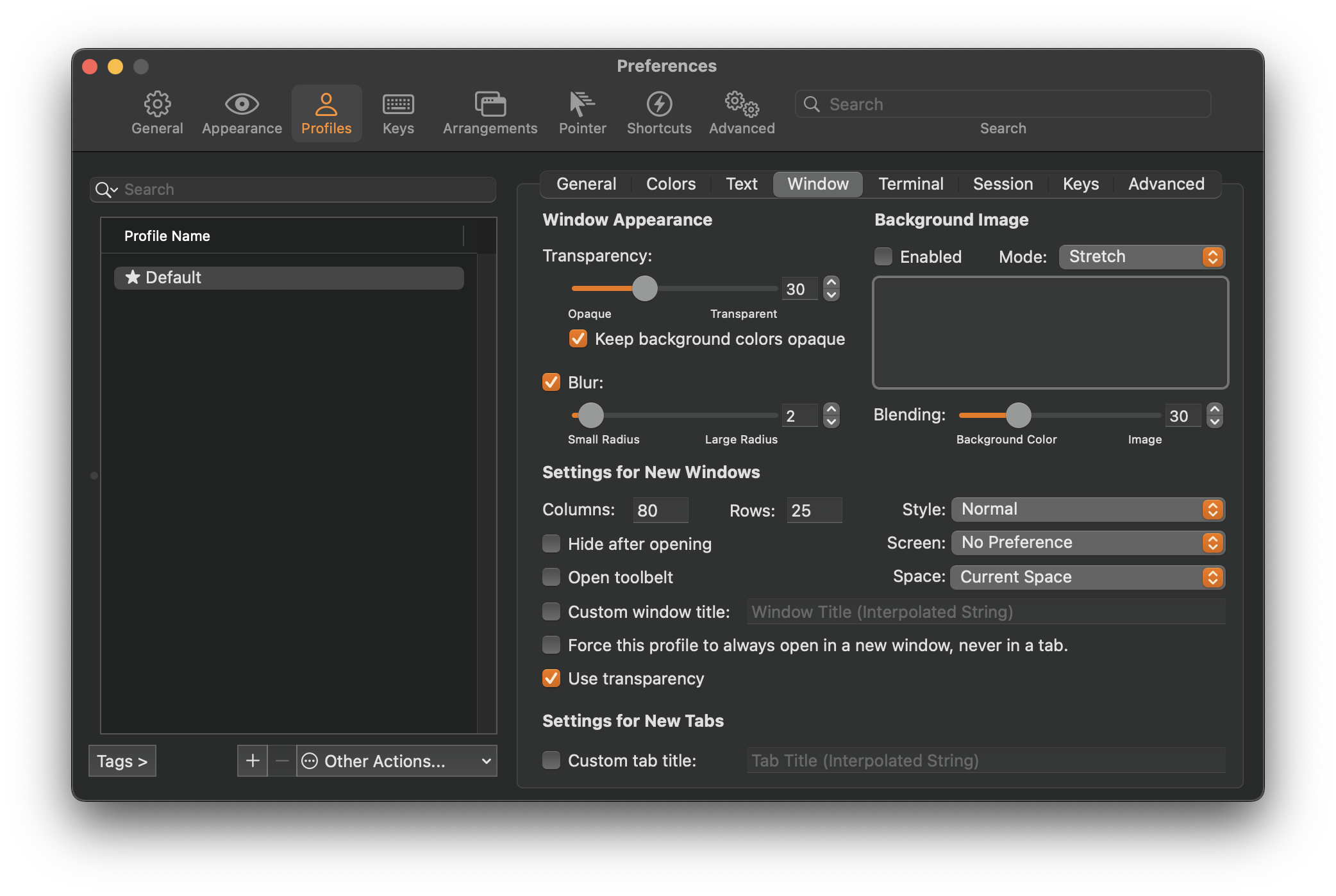
Transparency
Iterm -> Preferences -> Profiles -> Window -> Transparency
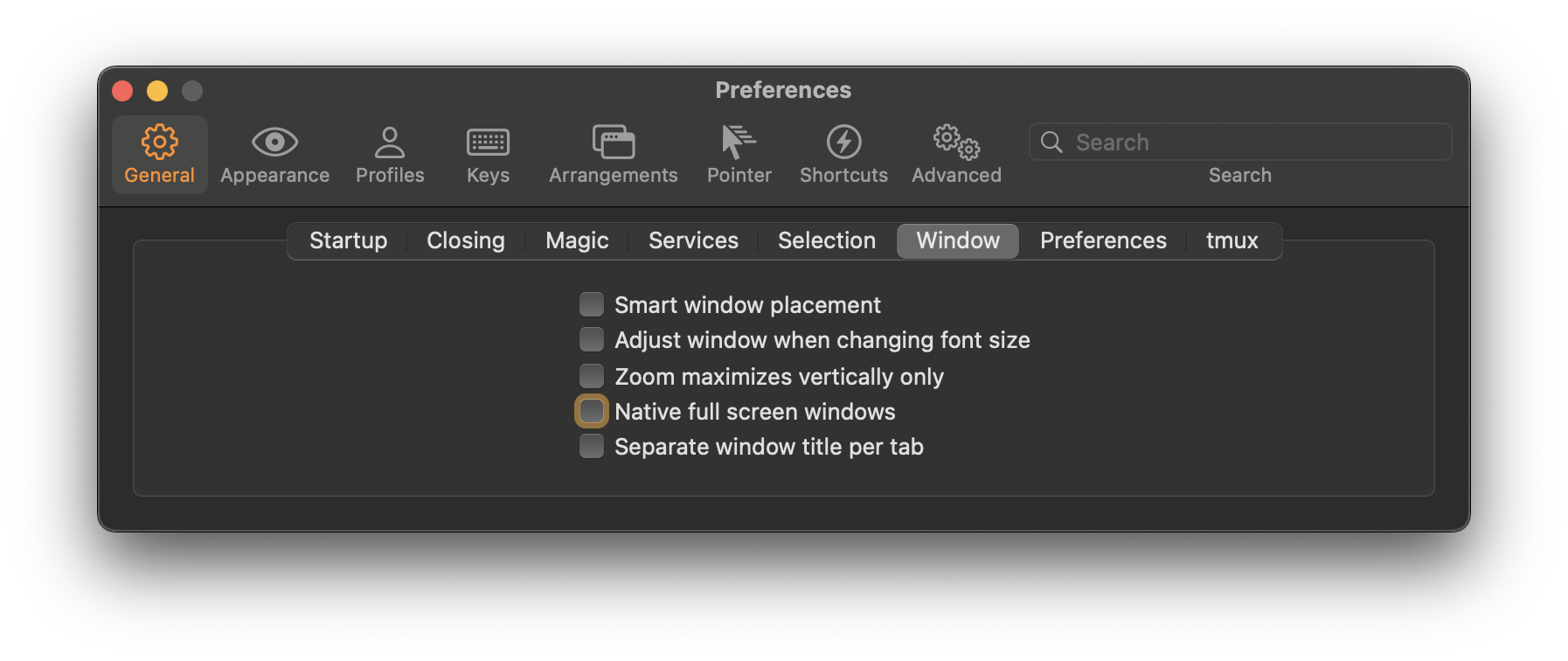
Full screen
Iterm Preferences -> General -> Window -> Native full screen windows
Uncheck it.
Use Cmd + Return/Enter to get in the fullscreen mode.
Desktop Picture
Now just add a nice desktop picture and done.
You have a nice background for your terminal.
Other tips
Don't open other apps on the desktop with Iterm for best look and feel.
Bind Iterm2 to a desktop & turn on desktop shortcuts in Keyboard -> Keyboard shortcuts -> Mission Control -> Switch to Desktop #

Binding an app to a desktop

Desktop Keyboard Shortuts
Final result